GJSON Interface

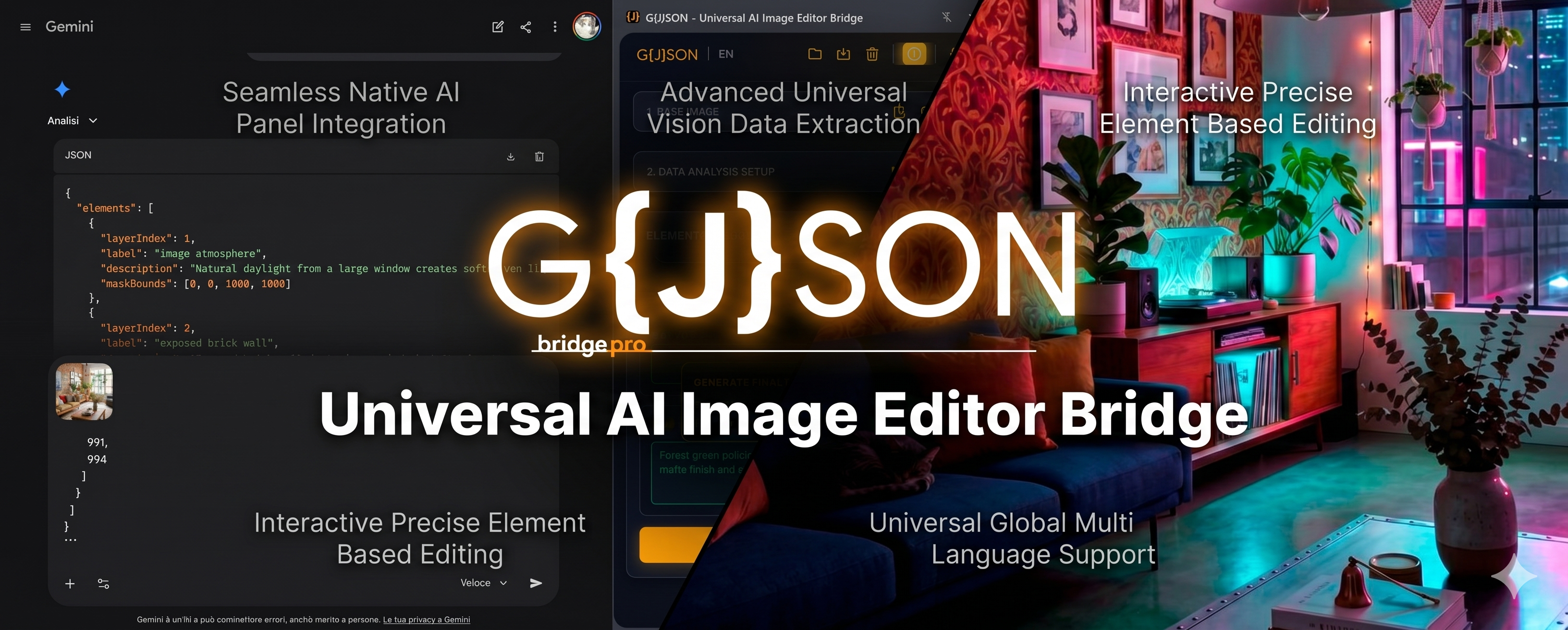
The Universal Bridge for AI Image Editing

Extract structured metadata, refine with surgical precision, and generate flawless master prompts natively in your browser.

Add to Chrome - Free
Native UI:
EN IT FR ES RU ZH
Step 01

Analyze & Extract

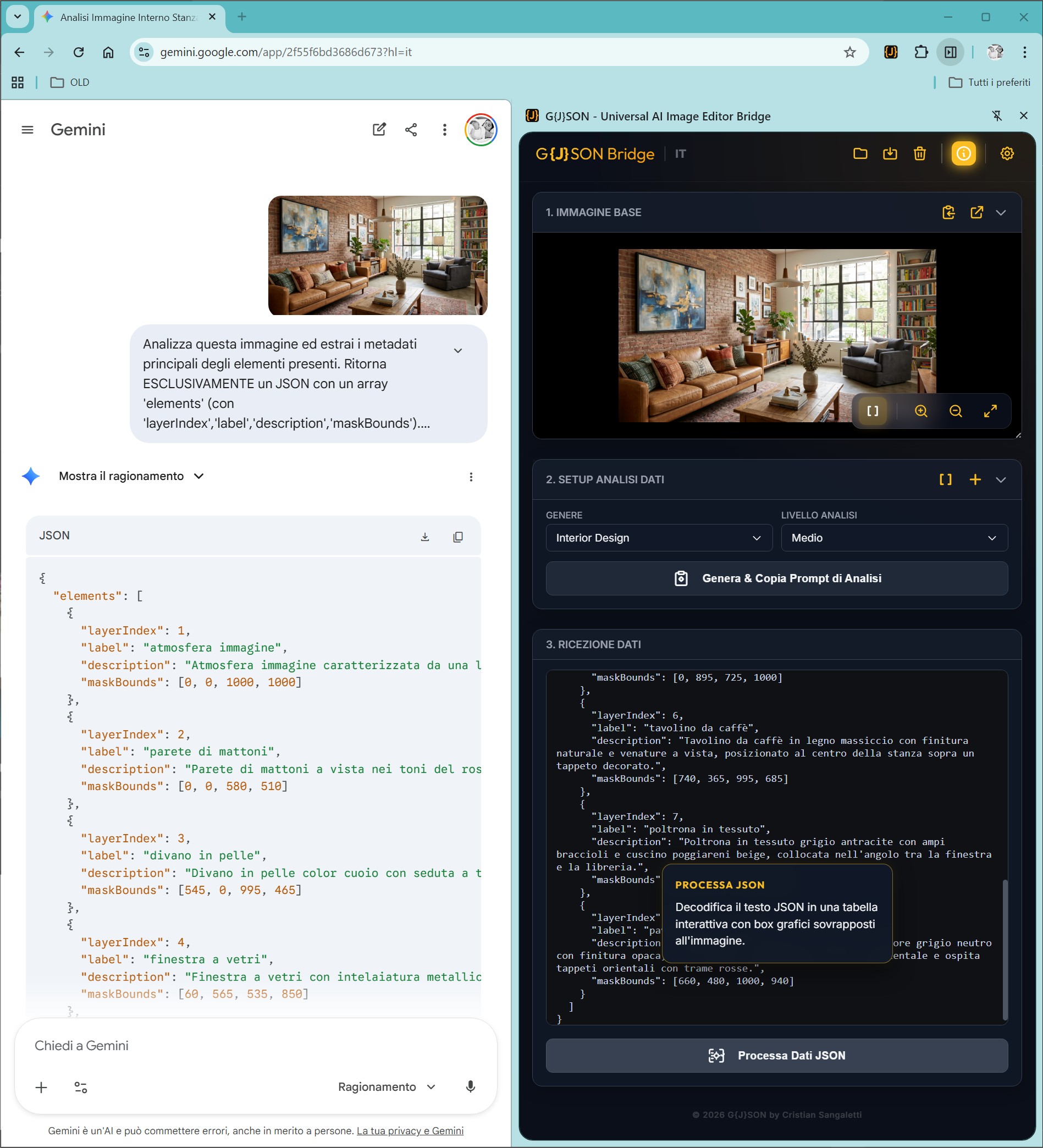
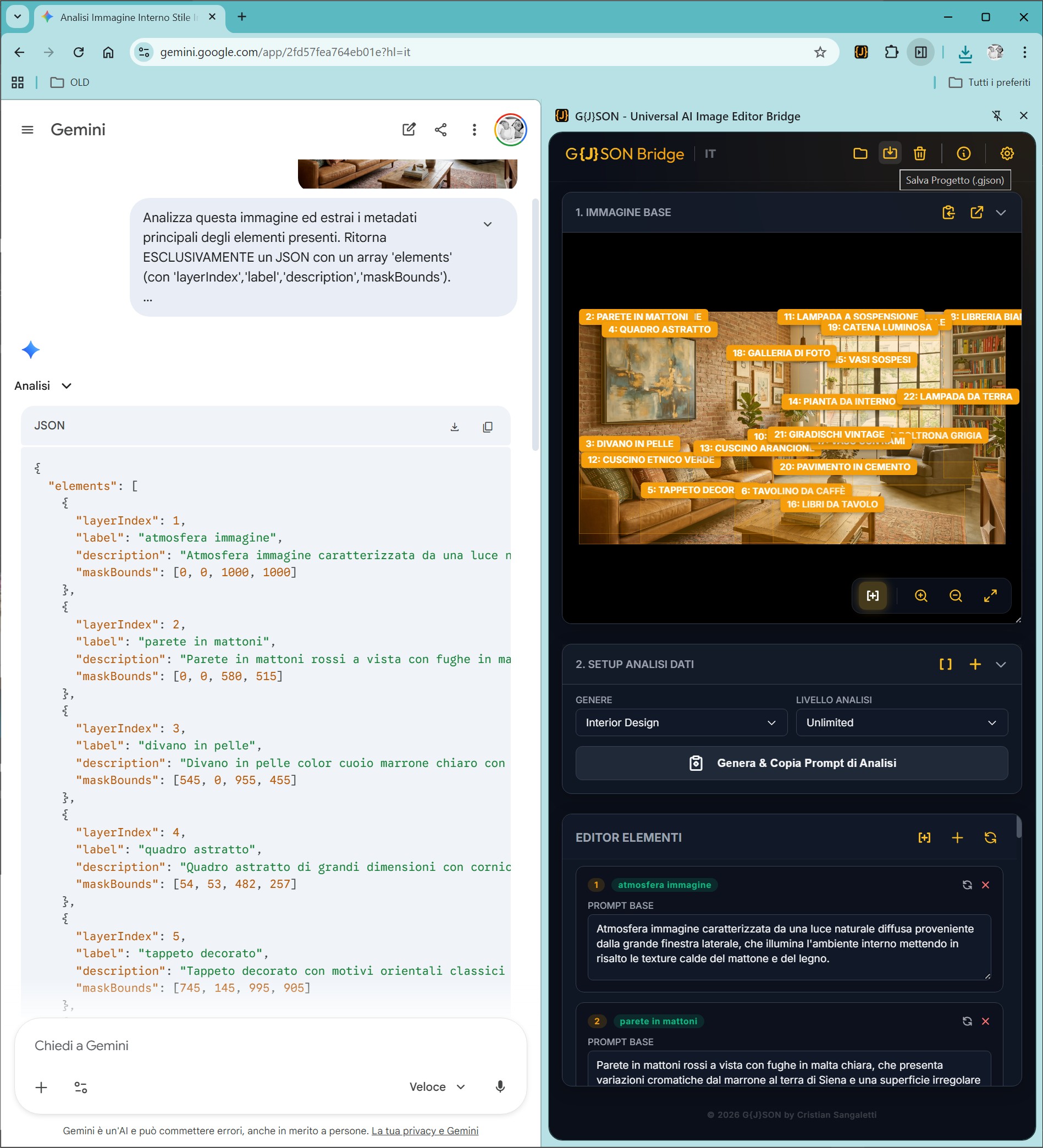
Upload any image. G{J}SON connects with Vision AI to extract deep, structured metadata (JSON), mapping every object, texture, and light source.

Step 02

Refine & Edit

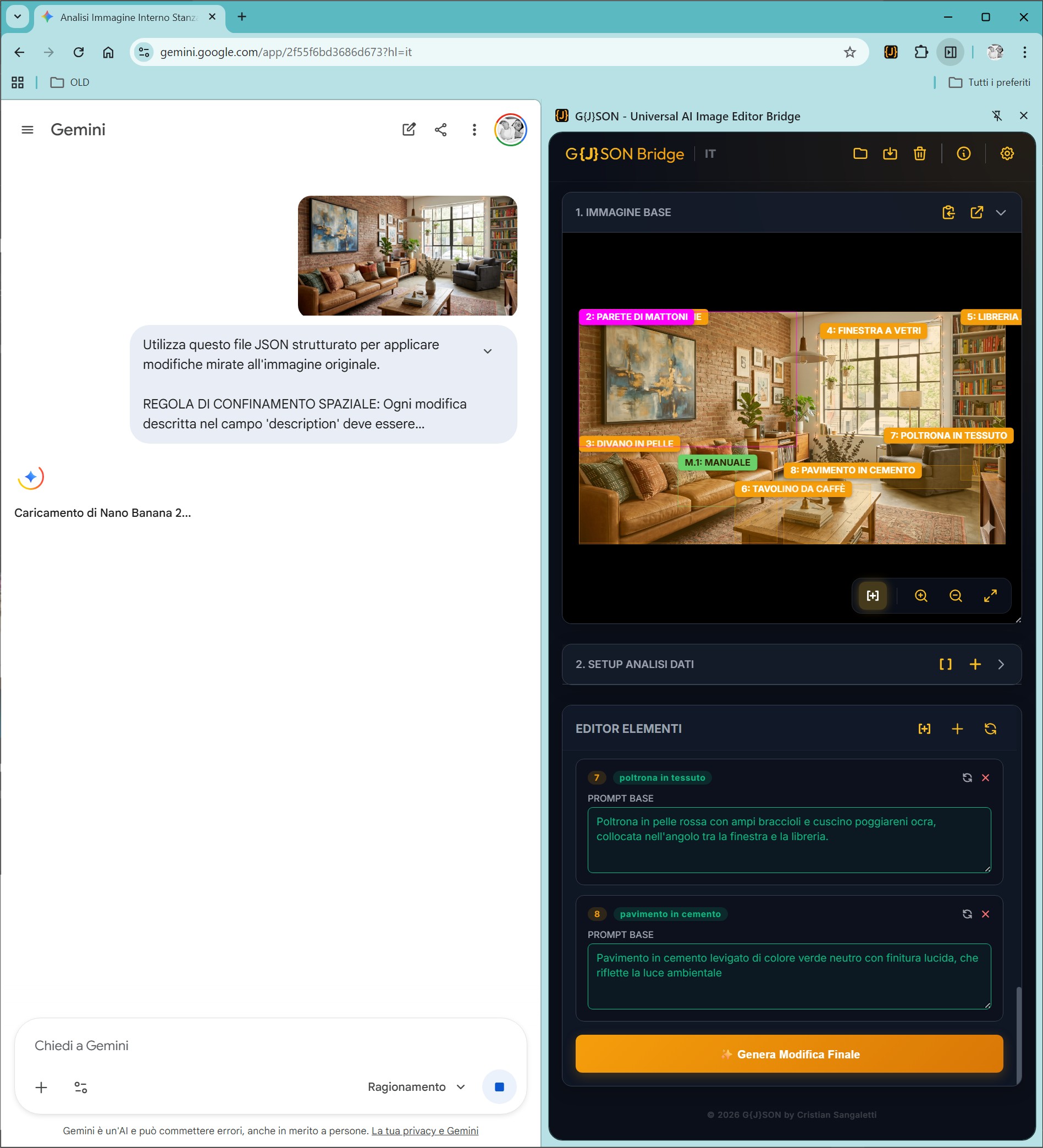
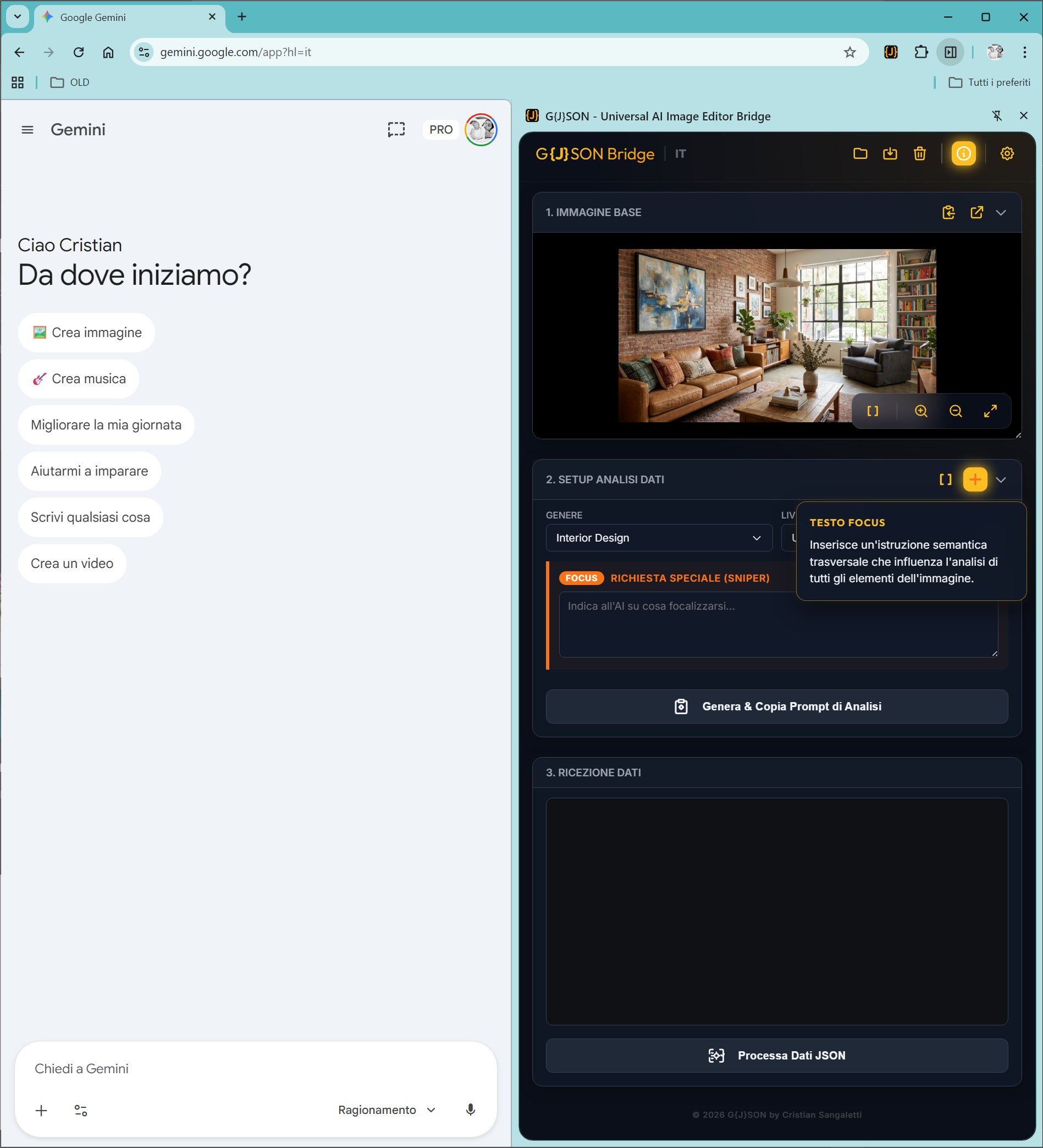
Human-in-the-loop editing. Use the interactive table to modify descriptions, exclude elements, and utilize Sniper Mode to dictate visual hierarchy.

Step 03

Master Prompt

Create your ideal instruction set. Insert the Master Prompt and the image to be processed into the chat of your AI assistant* to achieve an output perfectly aligned with your vision.

*works with Gemini, ChatGPT and Copilot within the limits of the model's capabilities

Precision Instruments

Built for AI Artists, Prompt Engineers, and Creative Directors who demand absolute control.

Surgical Focus

Surgical Focus

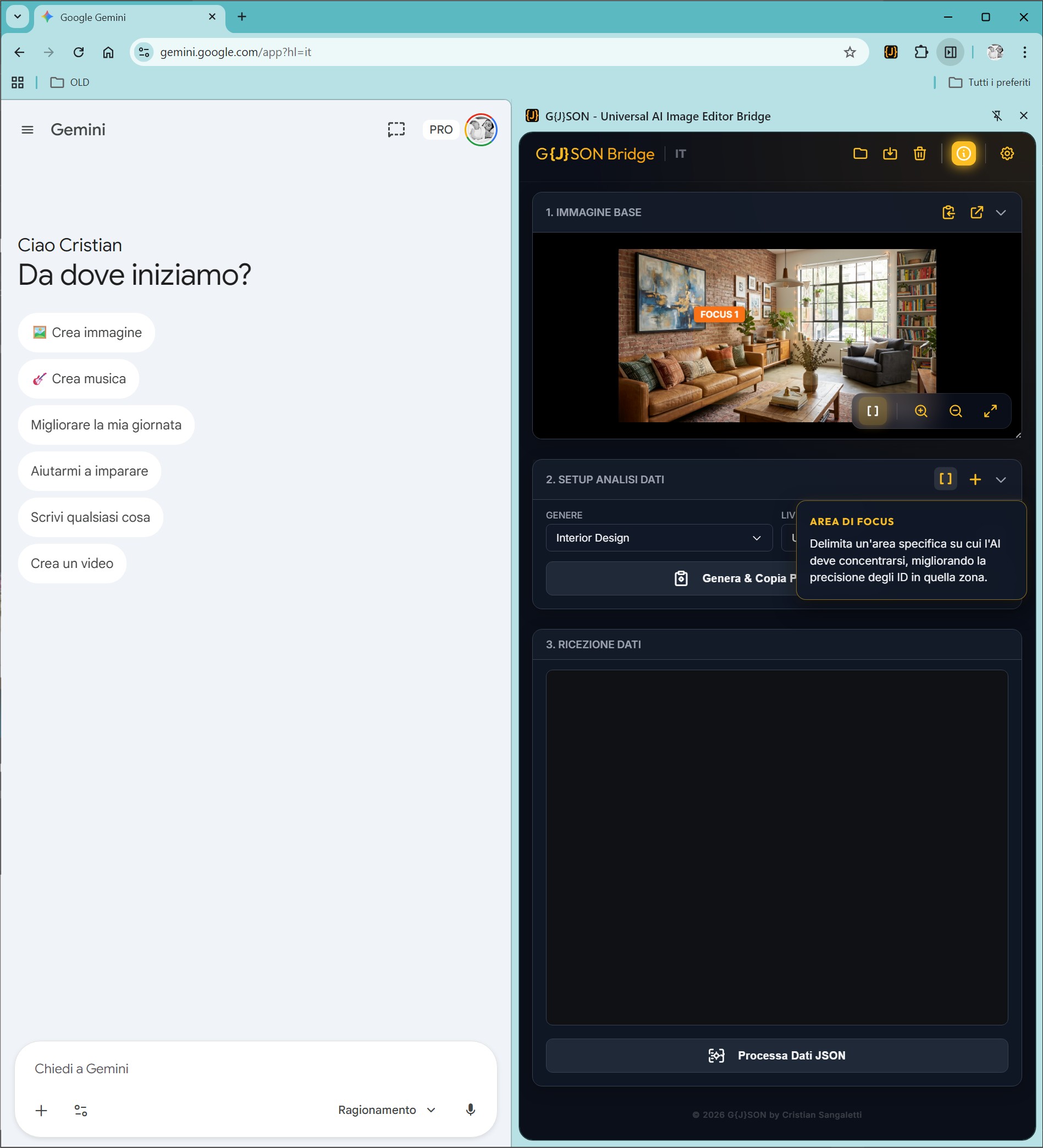
Isolate exact portions. Draw manual boxes or select elements to focus the AI's analytical power only where it is needed.

Clean Extraction

Clean Extraction

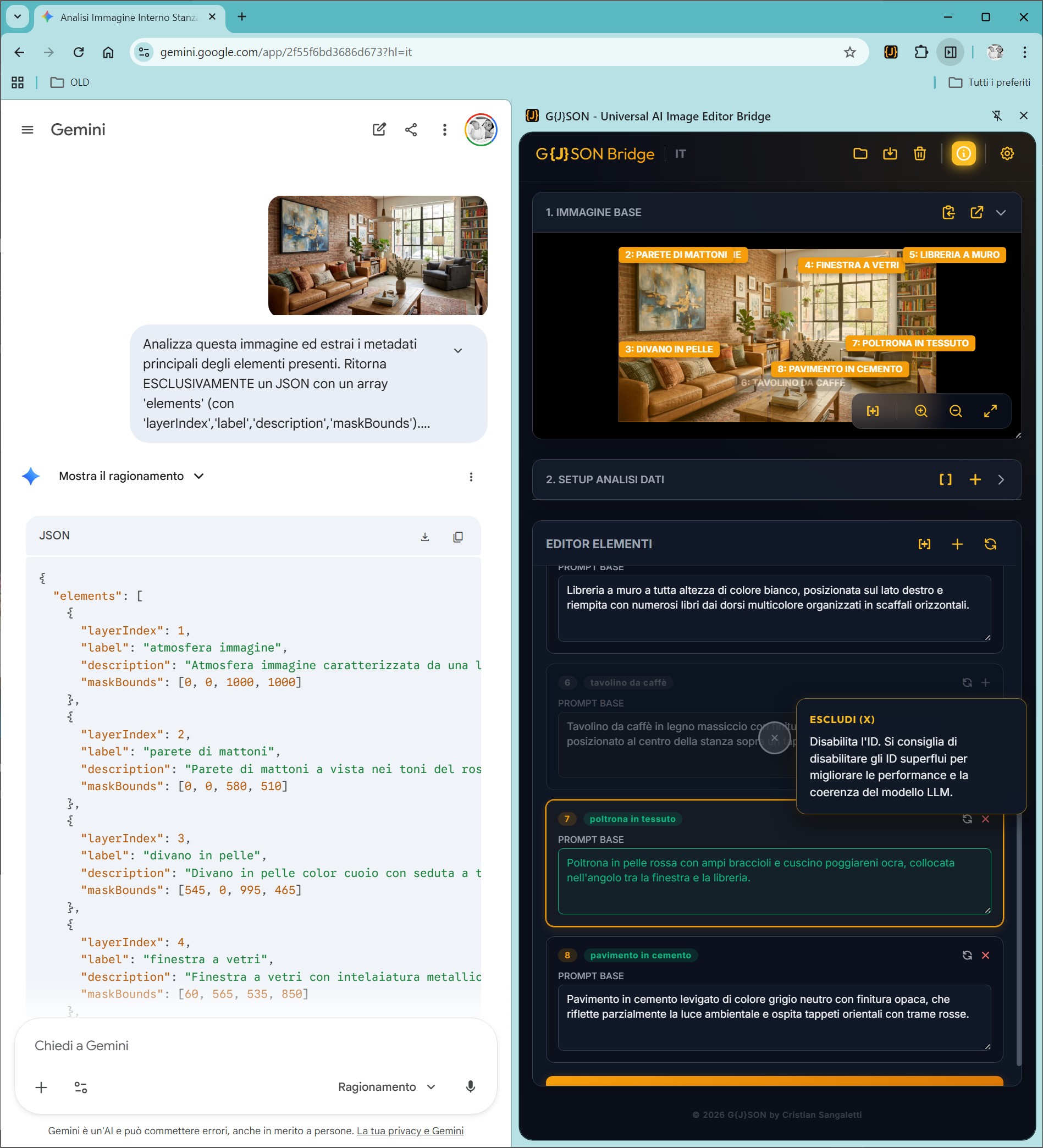
Export clean metadata. Exclude or delete unwanted IDs with a simple click, eliminating LLM hallucinations.

Inpainting Reference

Inpainting Reference

Edit target areas. Harness image reference inpainting to redraw and swap elements, maintaining absolute geometric coherence.

Molecular Analysis

Molecular Analysis

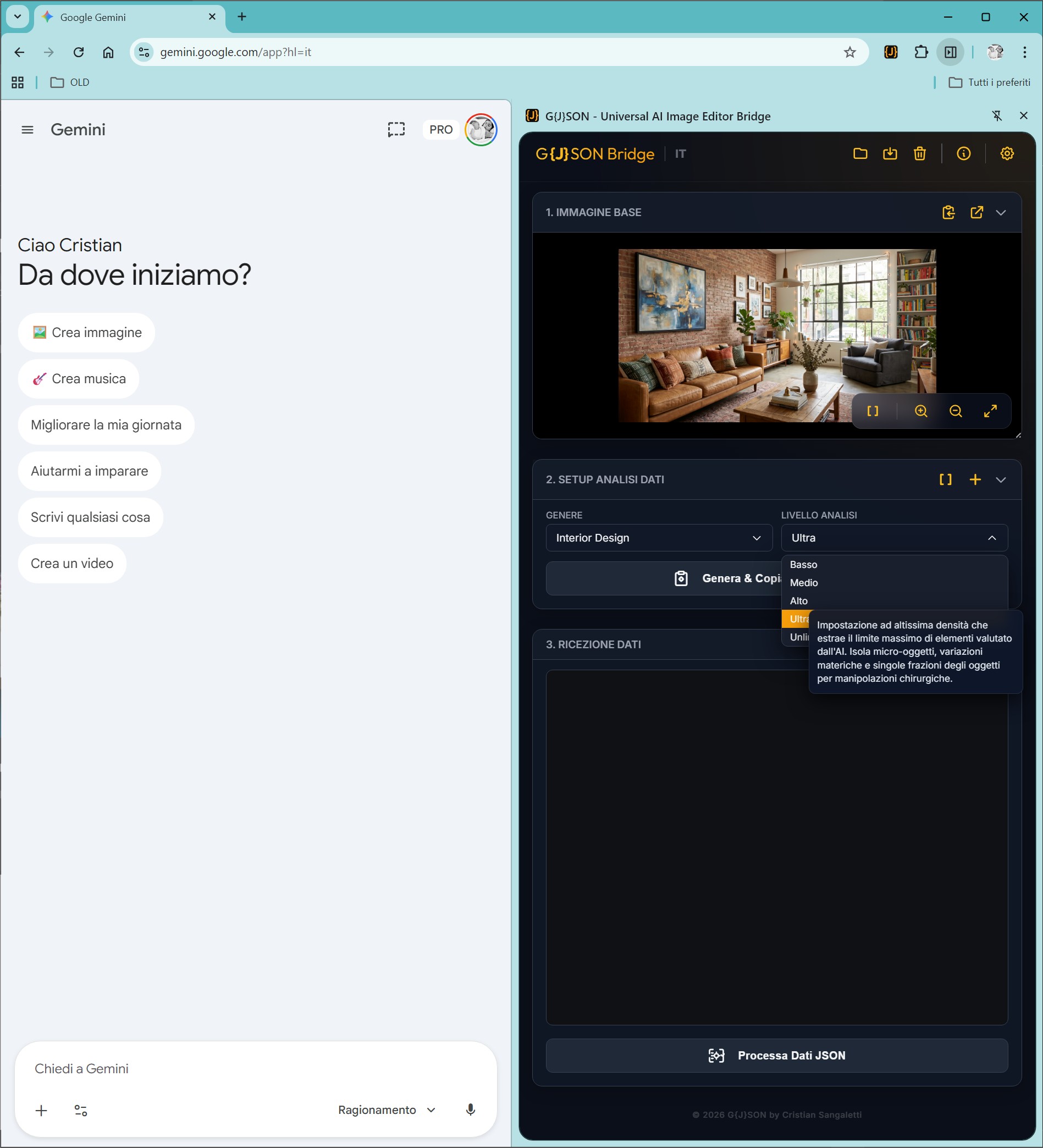
Scale your precision. Choose from generic overviews to 'Unlimited Level' extraction, mapping micro-textures and light nuances.

Multilanguage

Global Ecosystem

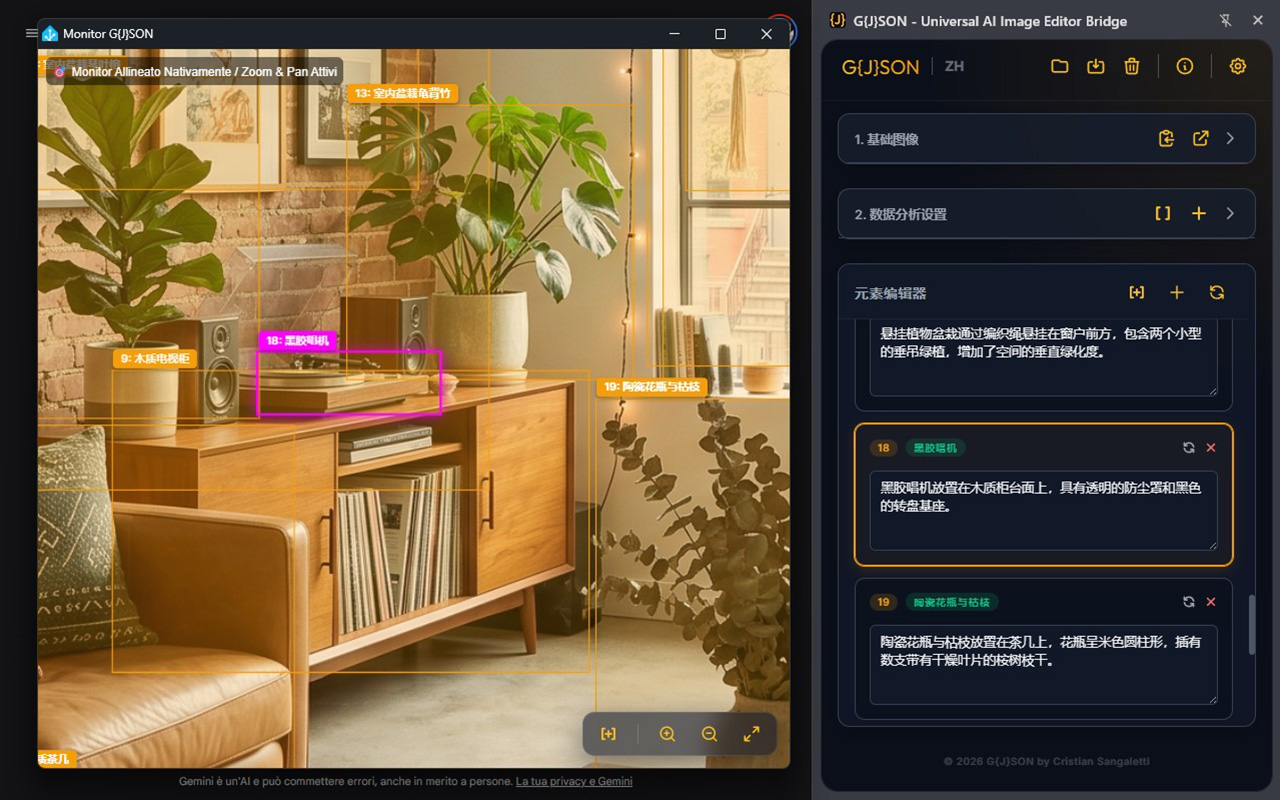
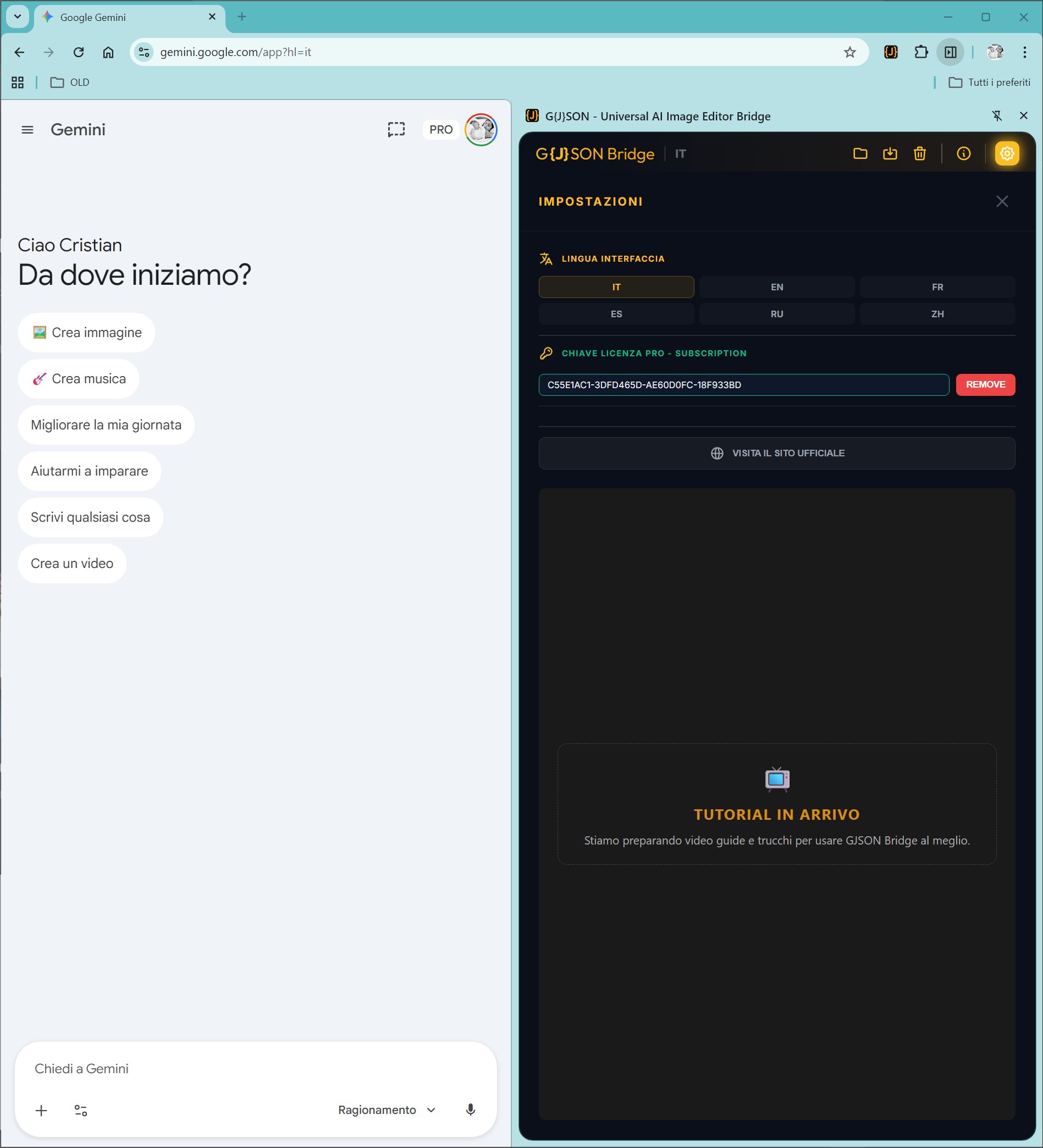
A truly universal bridge. Native support for 6 interface languages (EN, IT, ES, FR, RU, ZH) custom tailored for international workflows.

Transparent Licensing

Start for free, upgrade for absolute power. Secure payments via Gumroad.

Basic Edition

Perfect for standard edits.

€0/forever
  • Base Analysis Levels (Low/Med)
  • Generic Presets
  • Basic Element Editing
  • Watch Ads to unlock specific features
Install Free
Recommended

PRO Subscription

Continuous updates & power.

€6.99
/ year

*Or €1.49/month. Cancel anytime.

  • No Ads, No Waiting
  • Unlimited Analysis Levels (High/Ultra/Unl)
  • Sniper Mode & Manual Focus Areas
  • 15+ Specialized Presets & Global Instructions
Subscribe Now

PRO Lifetime

Pay once, own it forever.

€24.99
/ lifetime

*One-time payment. Excl. VAT.

  • All PRO Features Included
  • Future updates included
  • No recurring fees
Get Lifetime

The Official Wiki

From Visual Analysis to Total Control

Your manual to master AI. This is not a simple image editor, but a technological bridge that transforms visual analysis into pure data. The JSON format the software processes is the invisible skeleton of your image that you can now finally manipulate.

1 Initialization & Interface Control

Global Ecosystem (Multi-language)

The UI is natively localized in 6 languages. Operate in your native idiom without cognitive distractions.

Multilanguage

Deep Info System

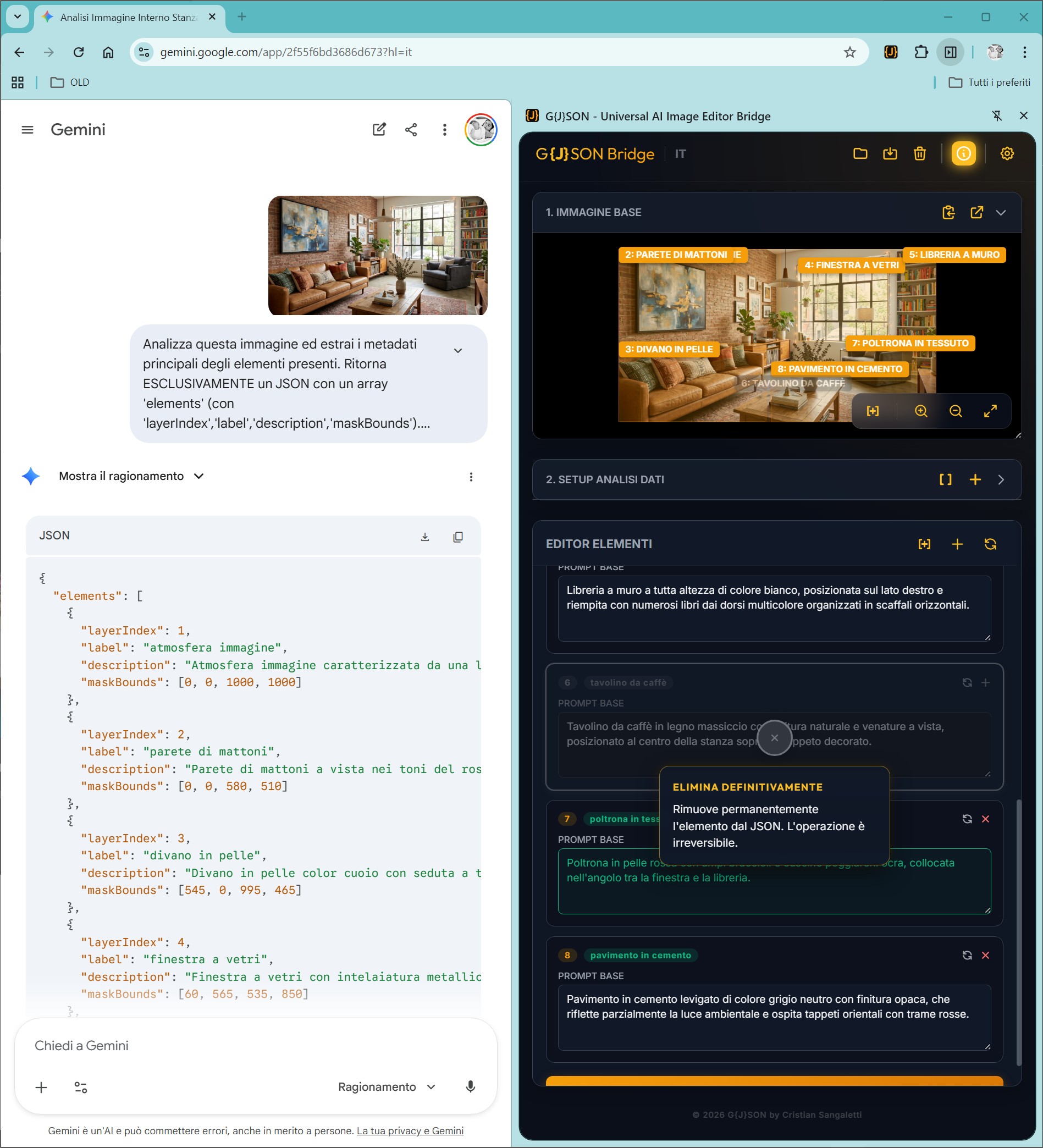
The interface is filled with info icons opening popups with extended technical explanations for every command.

Info Icons

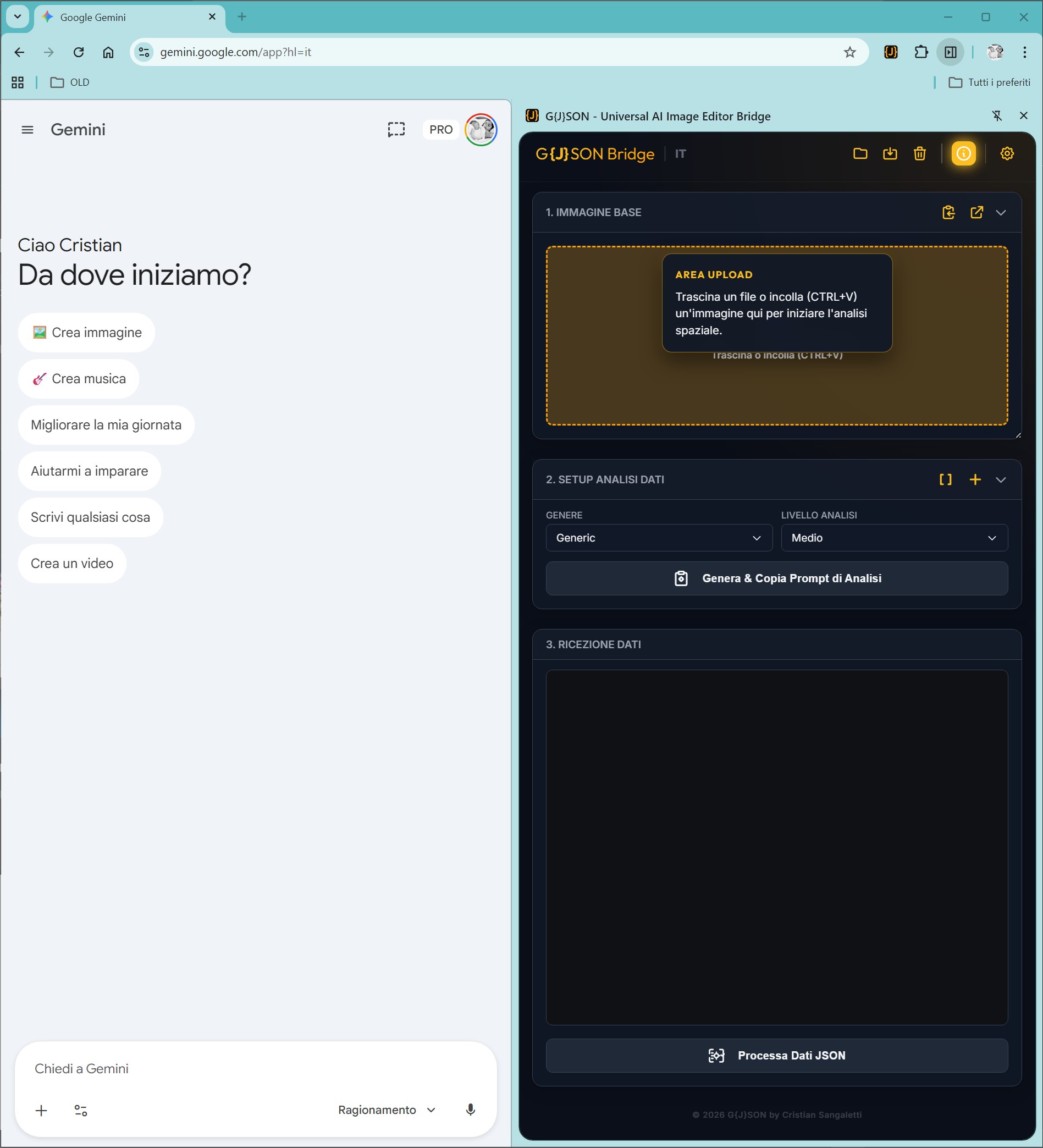
Upload Area & Quick Copy

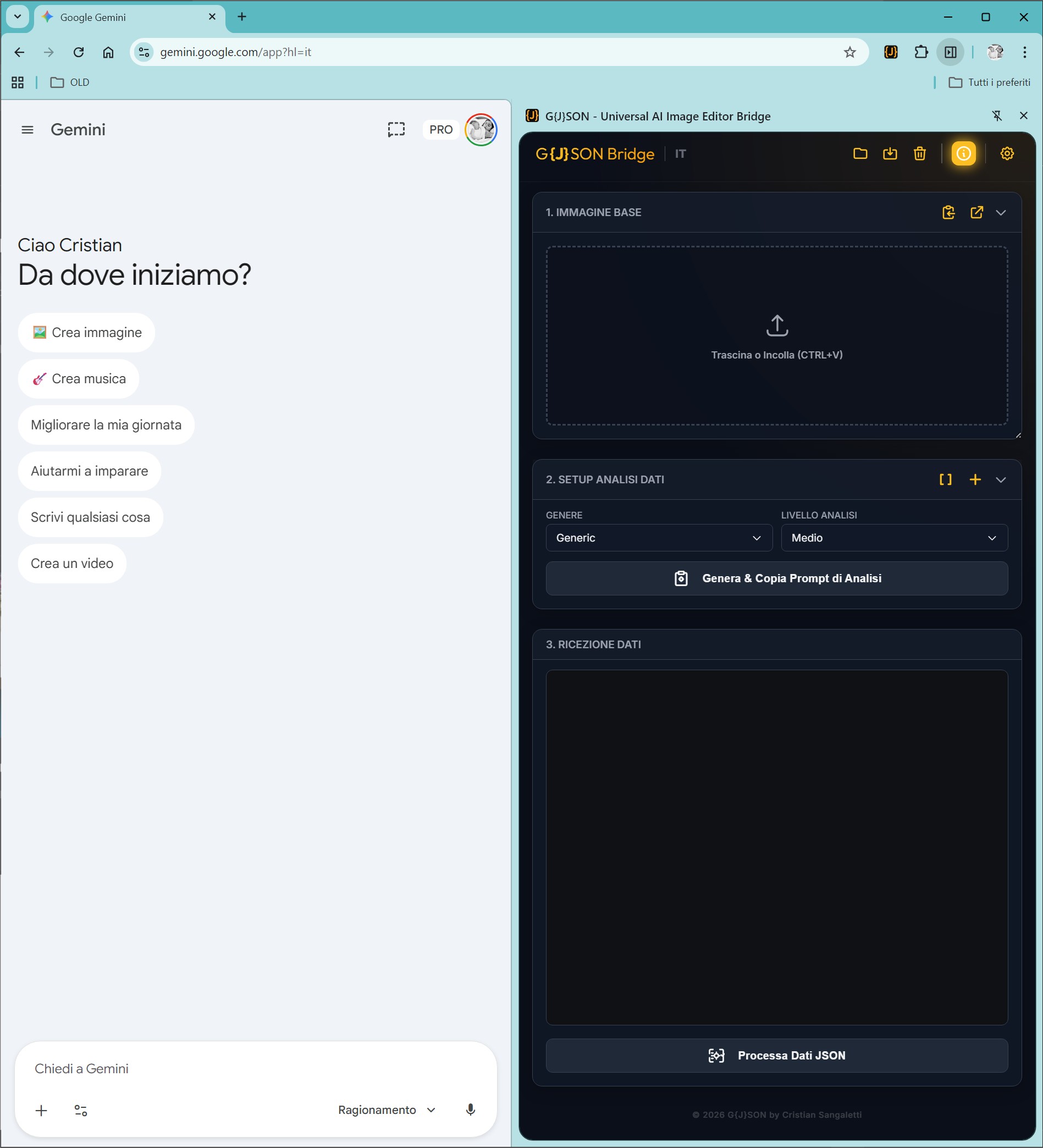
A Drop zone to drag or paste the base image. Plus a button to quickly copy the current image to clipboard.

Upload Area

Dynamic Workspace (Floating Preview)

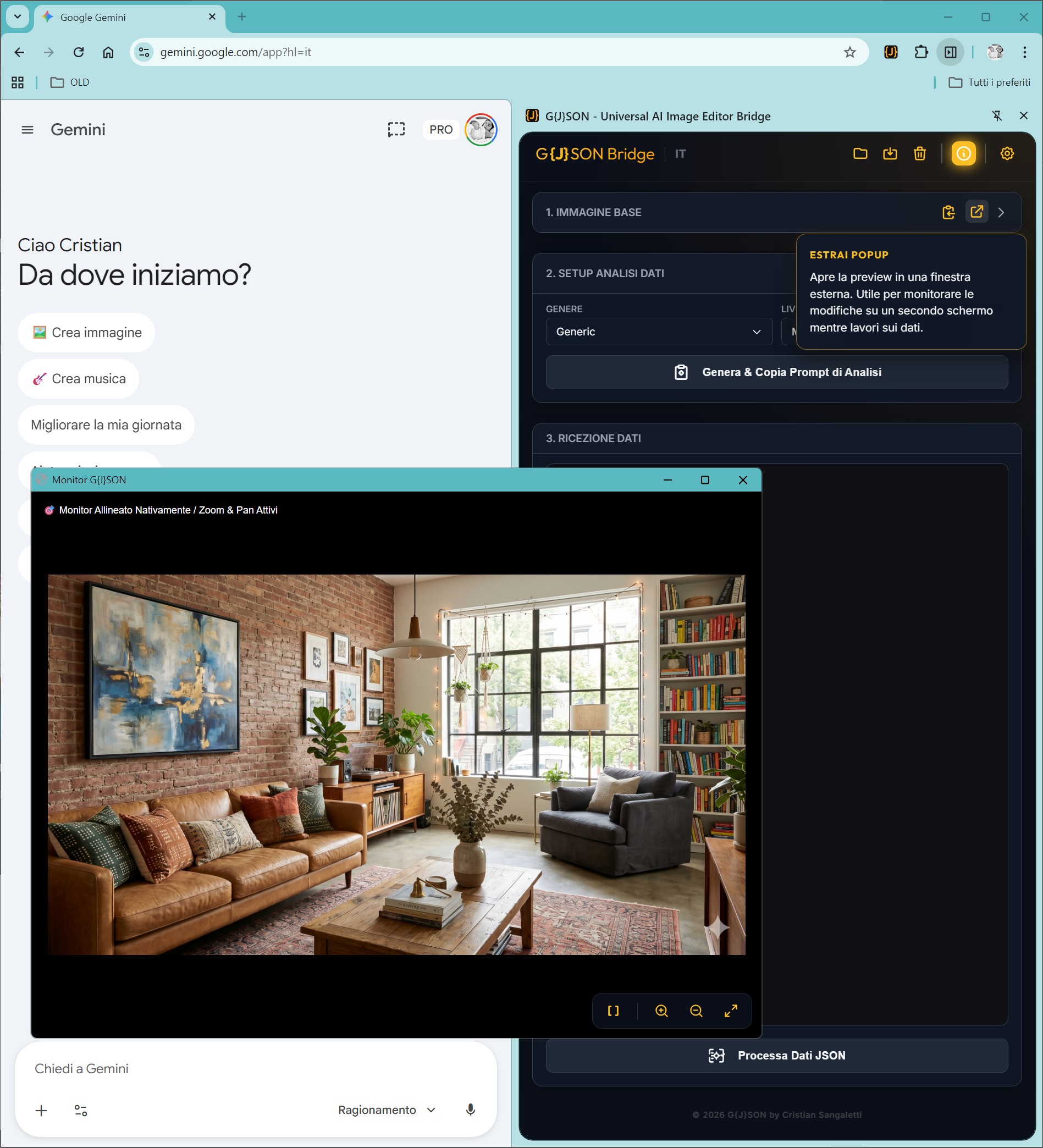
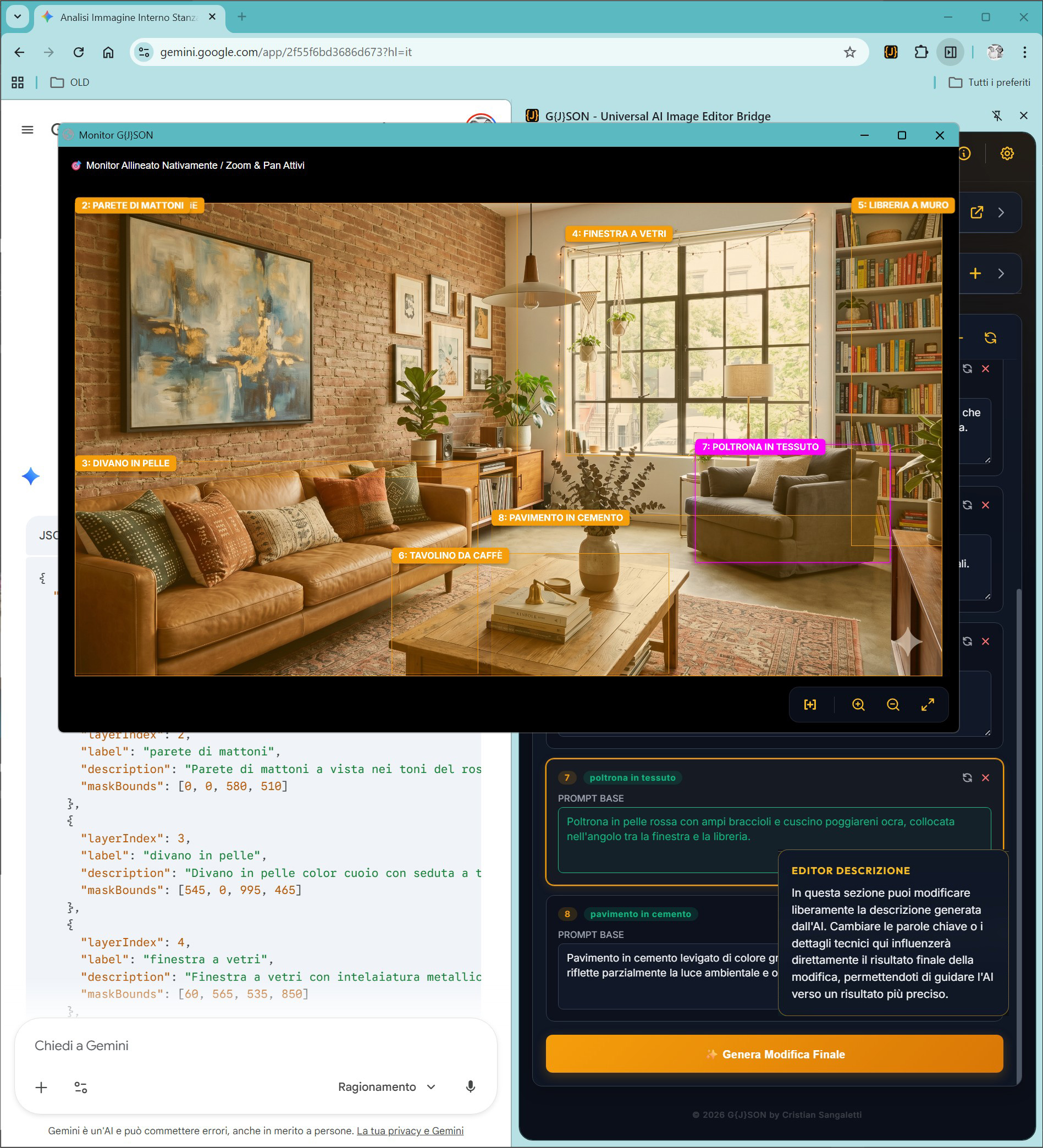
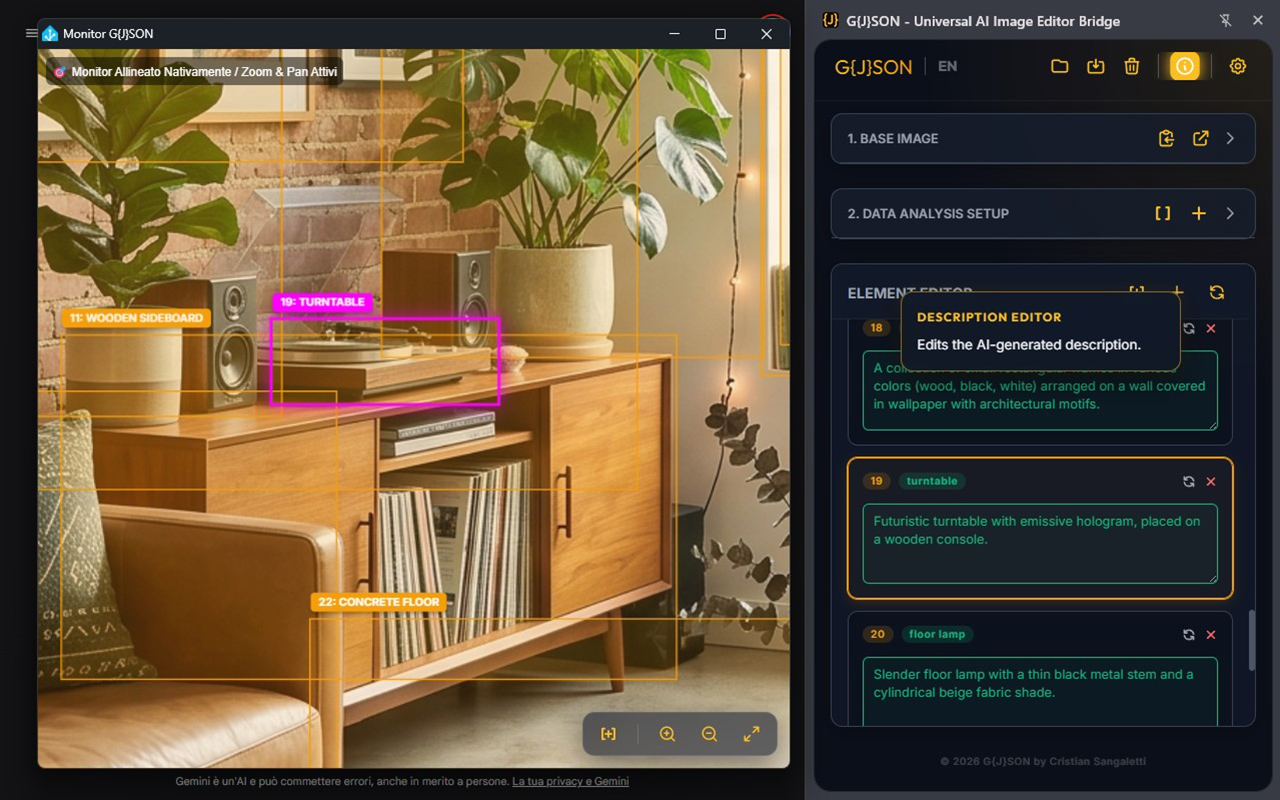
Detach the image window to an external monitor. Perfect for Power Users to monitor the visual impact while editing complex JSON data.

Floating Preview

2 Data Analysis Setup: Calibrating AI Vision

Semantic Filters

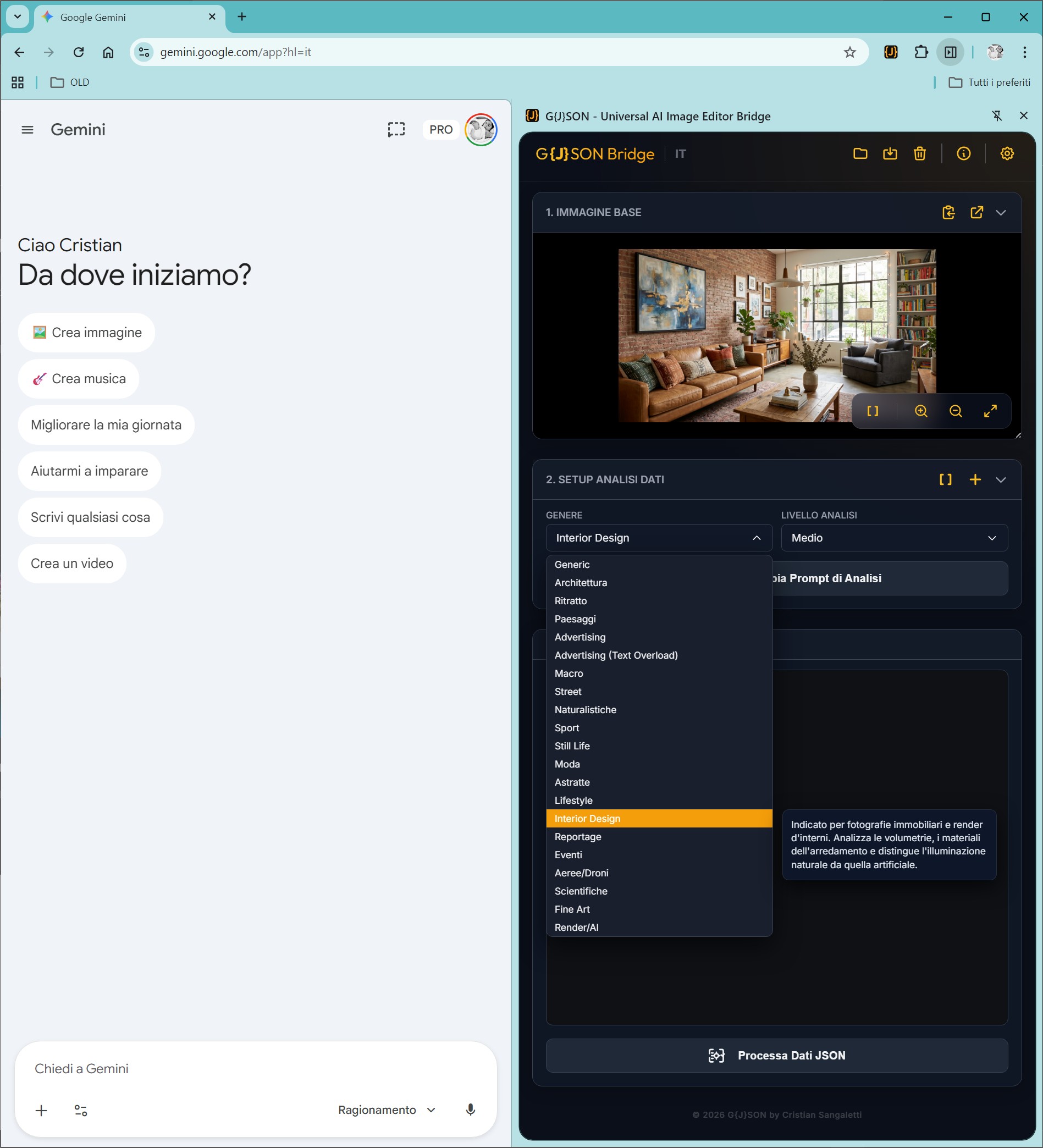
Select base contexts or 15+ vertical contexts (e.g., Macro, Fashion). Calibrates the technical vocabulary of the AI.

Semantic Filters

Scan Depth (Advanced Levels)

Determine sampling density. 'Ultra' and 'Unlimited' levels extract the maximum limit of elements, isolating reflections and material variations.

Sniper Mode

Manually draw a priority area and add text instructions. Force the algorithm to ignore background noise and process the area with maximum visual acuity.

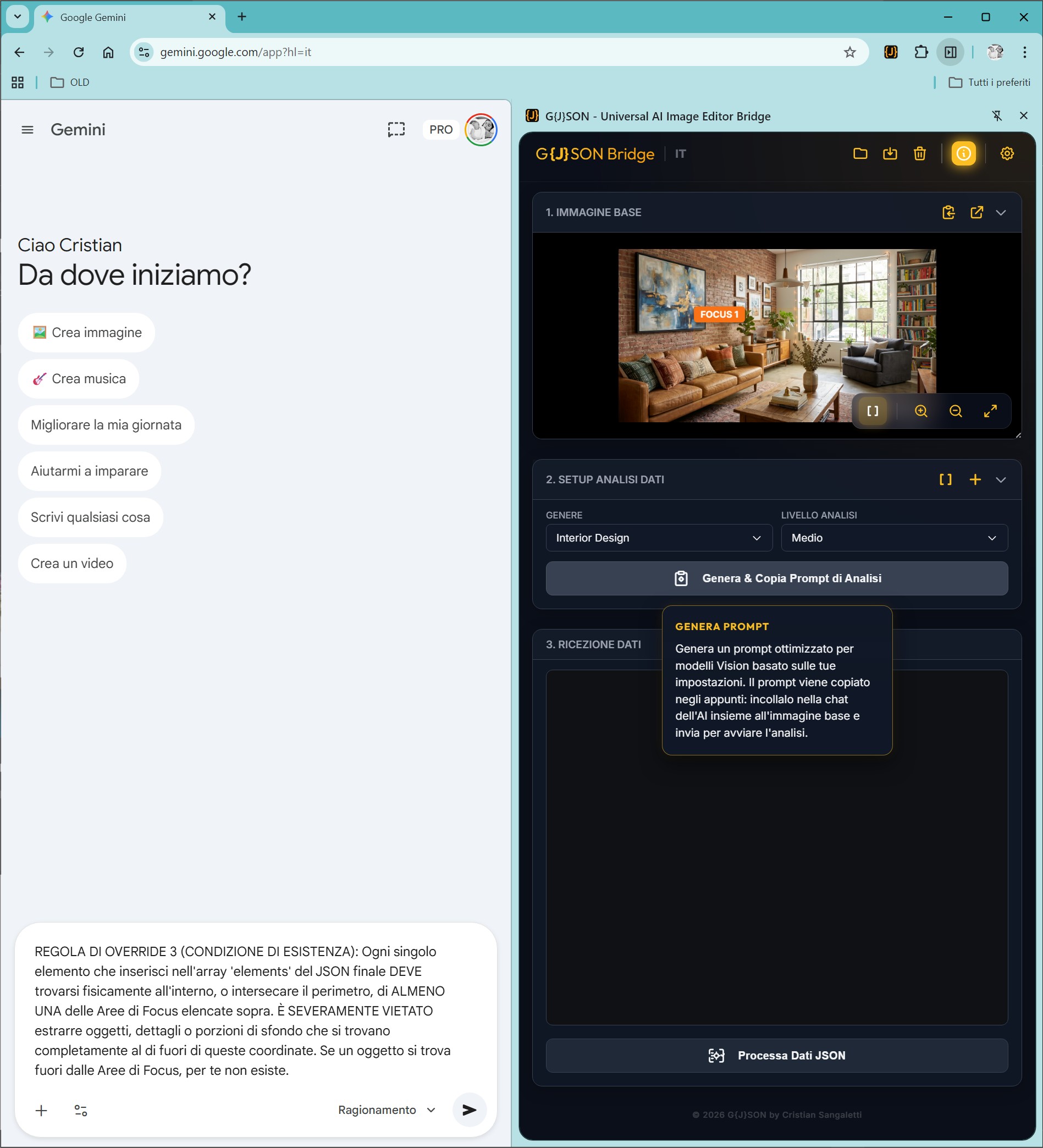
Generate Analysis Prompt

Generate and copy the analysis prompt to send to the AI chat. Paste it into your AI assistant's chat along with the image you want to edit and enjoy the result!

Generate Prompt

3 Editing & Refinement: Manipulating Vision Data

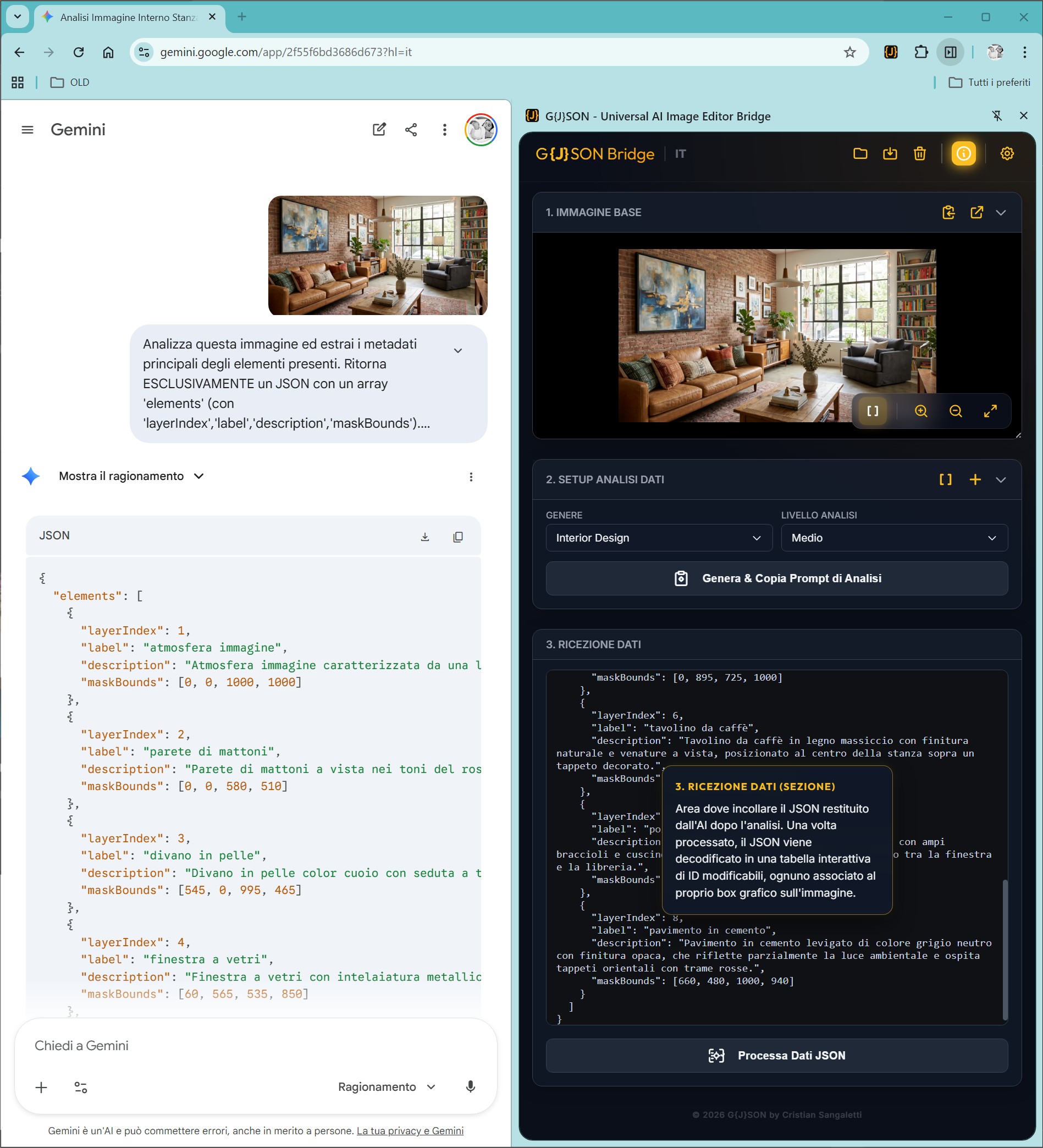
JSON Injection & Processing

Instantly decode a complex code matrix into a clear element-by-element editing table.

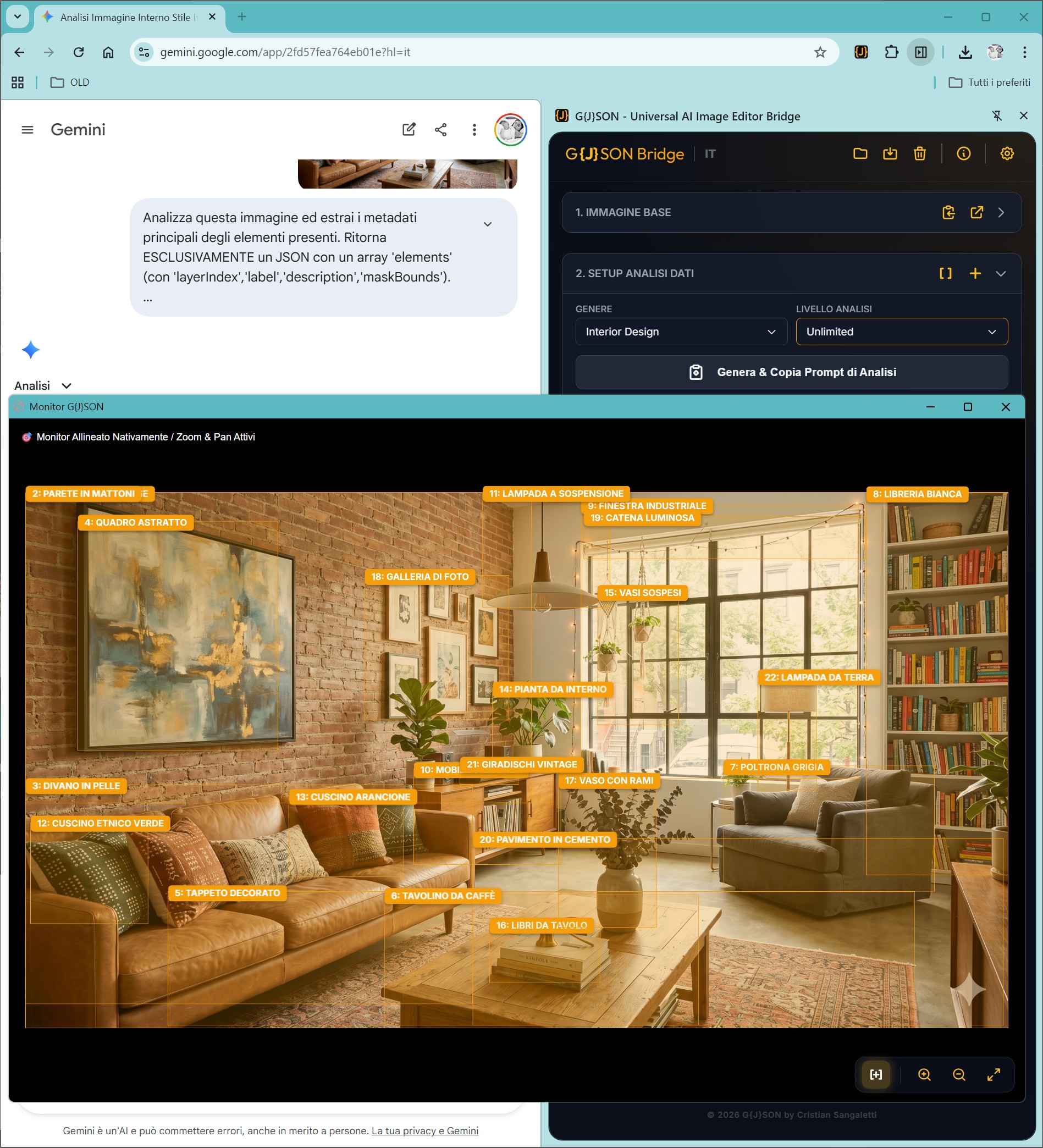
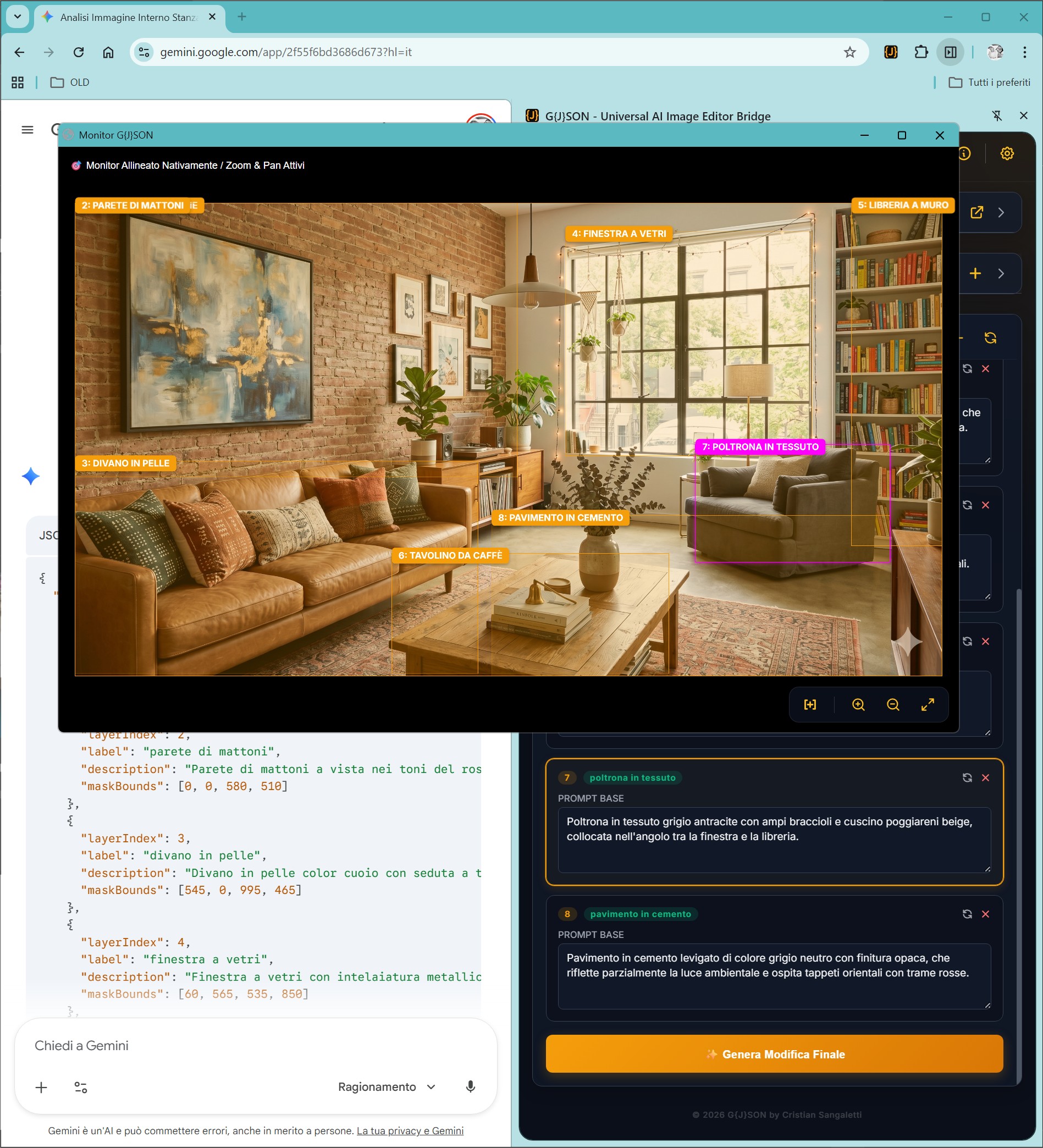
Synchronized Overlay

Absolute visual confirmation of the spatial coordinates assigned to each detected element.

Overlay

Micro-Editing Prompts

Freely rewrite the AI-generated description for every single object detected. The essence of creative control.

Micro Editing

Surgical ID Management

Temporarily exclude or permanently delete IDs to clean the data structure and reduce LLM hallucinations.

Text/OCR Preset Focus

Deploy the specialized Text/OCR preset to isolate and transcribe textual metadata, facilitating surgical corrections inside your layouts.

Text OCR Preset

4 Art Direction

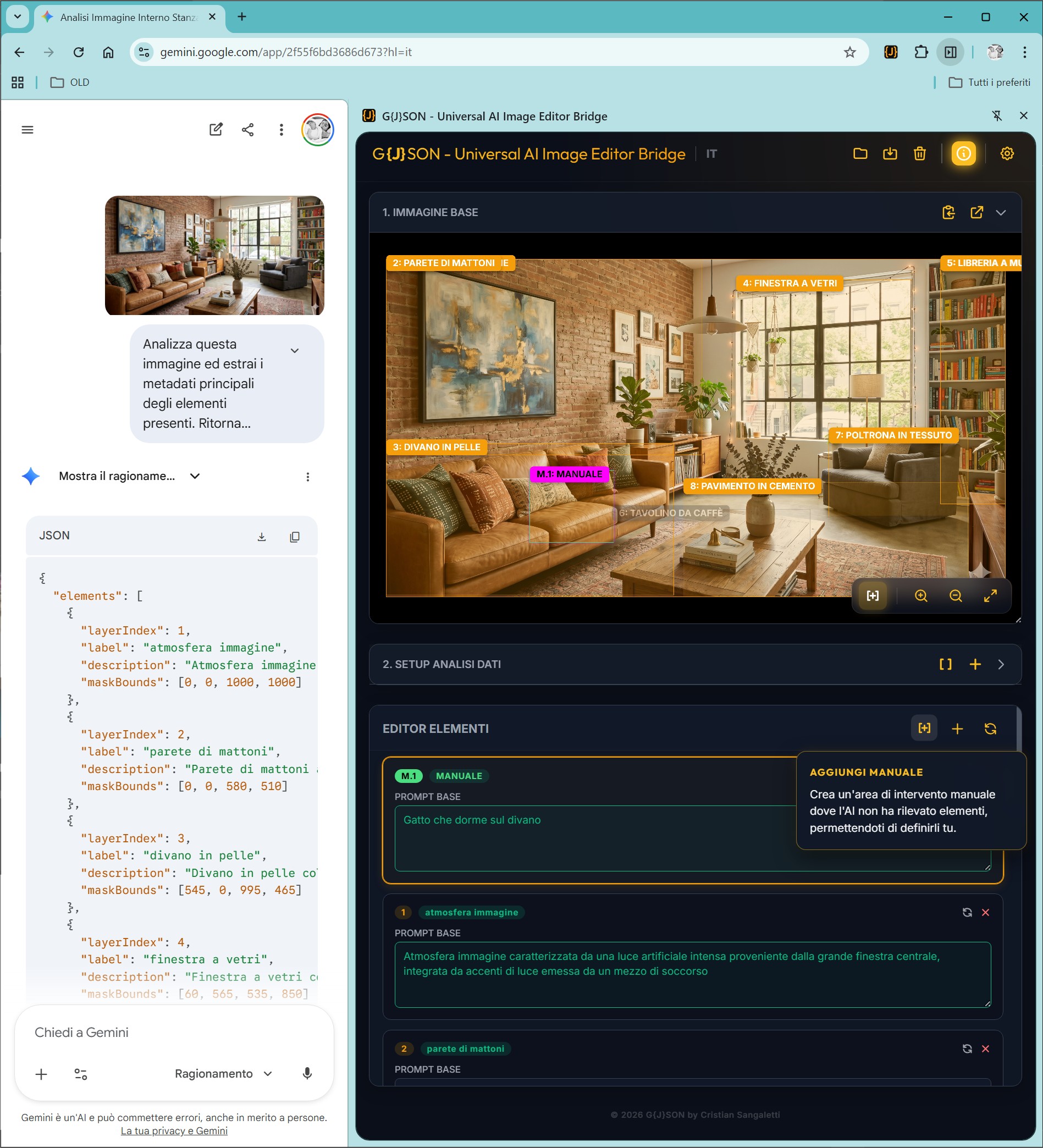
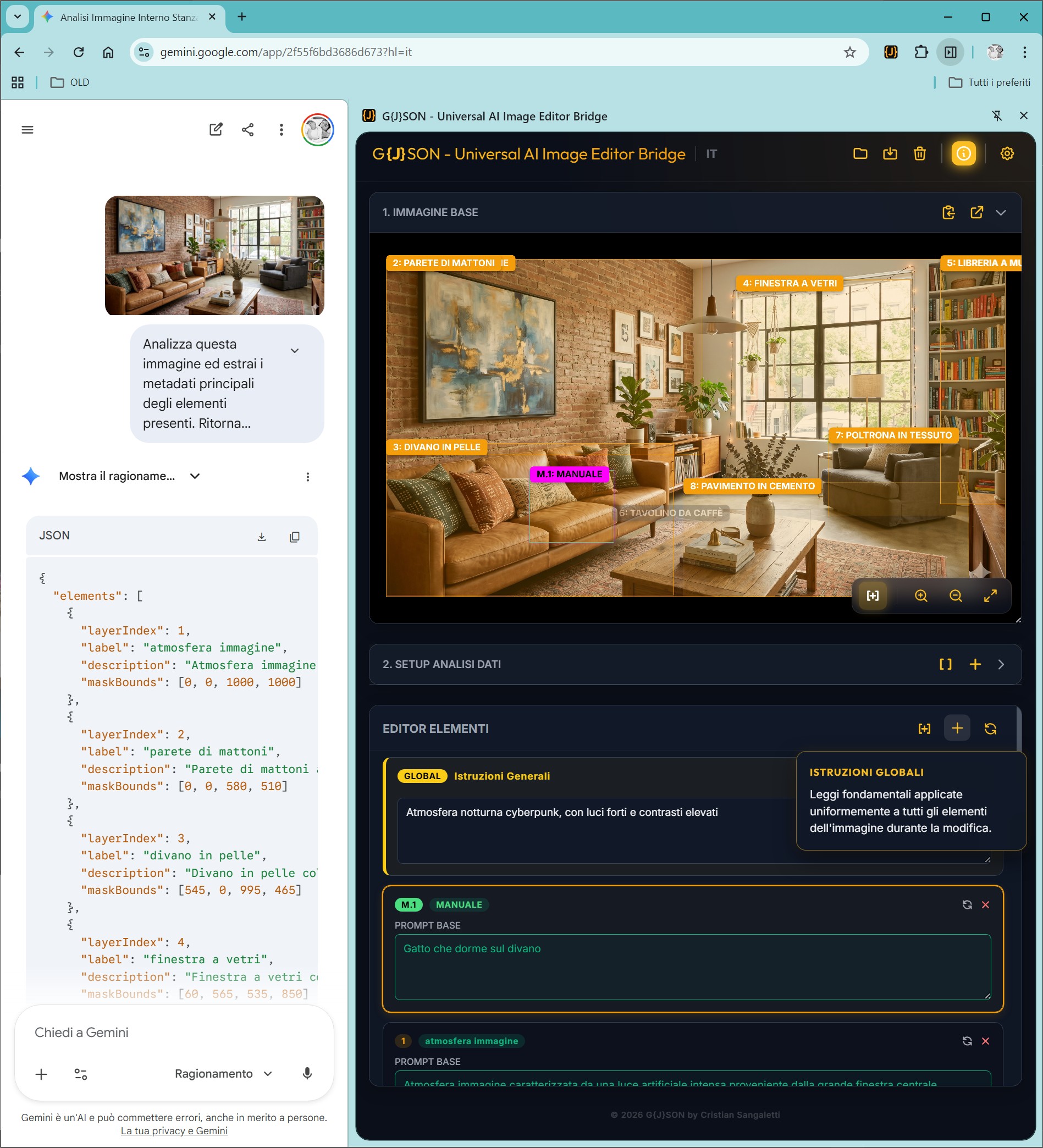
Manual Boxes 👑 [PRO]

Add undetected elements manually.

Manual Box

Global Instructions

Insert style-wide directives (e.g. Cyberpunk).

Global

Inpainting Reference Mode 👑 [PRO]

Utilize reference image inpainting for precise localized changes.

Inpainting Reference

Master Prompt & Result

Generate the final optimized Master Prompt.

5 Workflow (Sessions)

Project Versioning (.GJSON) 👑 [PRO]

Export and restore the entire work in a proprietary .GJSON format. Allows professionals to pause intricate analysis and resume without losing configured parameters.

Save Project

Wiki & Tutorials

Master G{J}SON Bridge with our comprehensive resources.

Official Guides

Download PDF by language

English (In Progress)
Italian
French (In Progress)
Spanish (In Progress)
Russian (In Progress)
Chinese (In Progress)

Getting Started: Analyze & Refine

YouTube Tutorial

Coming Soon

Advanced: Sniper Mode Mastery

YouTube Tutorial